Amiga runtime
Workbench installer and native tools
Download Amiga runtimeClassic AmigaOS
AmiNotis gives Amiga apps one place to send notifications. Read them in the Workbench dashboard or connect a client of your own.
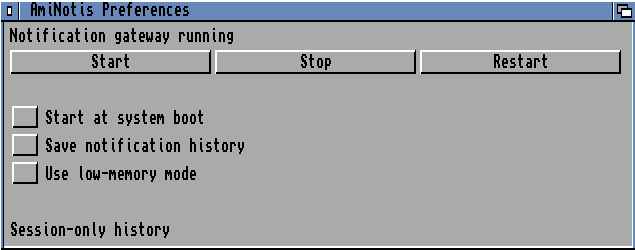
Start or stop the gateway, configure boot startup, and set its history and memory options. Use the Dashboard or another client for notifications.
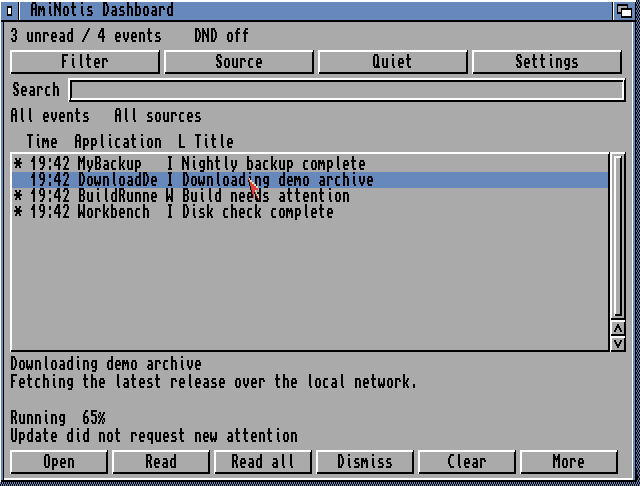
Apps send events. AmiNotis shares one inbox with every client.
 AmiNotis
Shared inbox
Publish a notification directly or discover the local Exec message port AMINOTIS.SERVICE to read and watch the inbox.
AmiNotis:AmiNotisLog TAG MyBackup Nightly backup completeADDRESS AMINOTIS
'APP "MyBackup" ID "nightly" TITLE "Backup complete" TEXT "12 files copied"'struct ANRequest request;
an_request(&request, AN_POST);
strcpy(request.event.app, "MyBackup");
strcpy(request.event.event, "nightly");
strcpy(request.event.title, "Backup complete");
strcpy(request.event.body, "12 files copied");
an_submit(&client, &request);Workbench installer and native tools
Download Amiga runtimeC headers, examples and protocol documentation
Download Developer SDKFull AmiNotis source and PHP website
Download Source codeSYS:Prefs/AmiNotisPrefs and select Start.